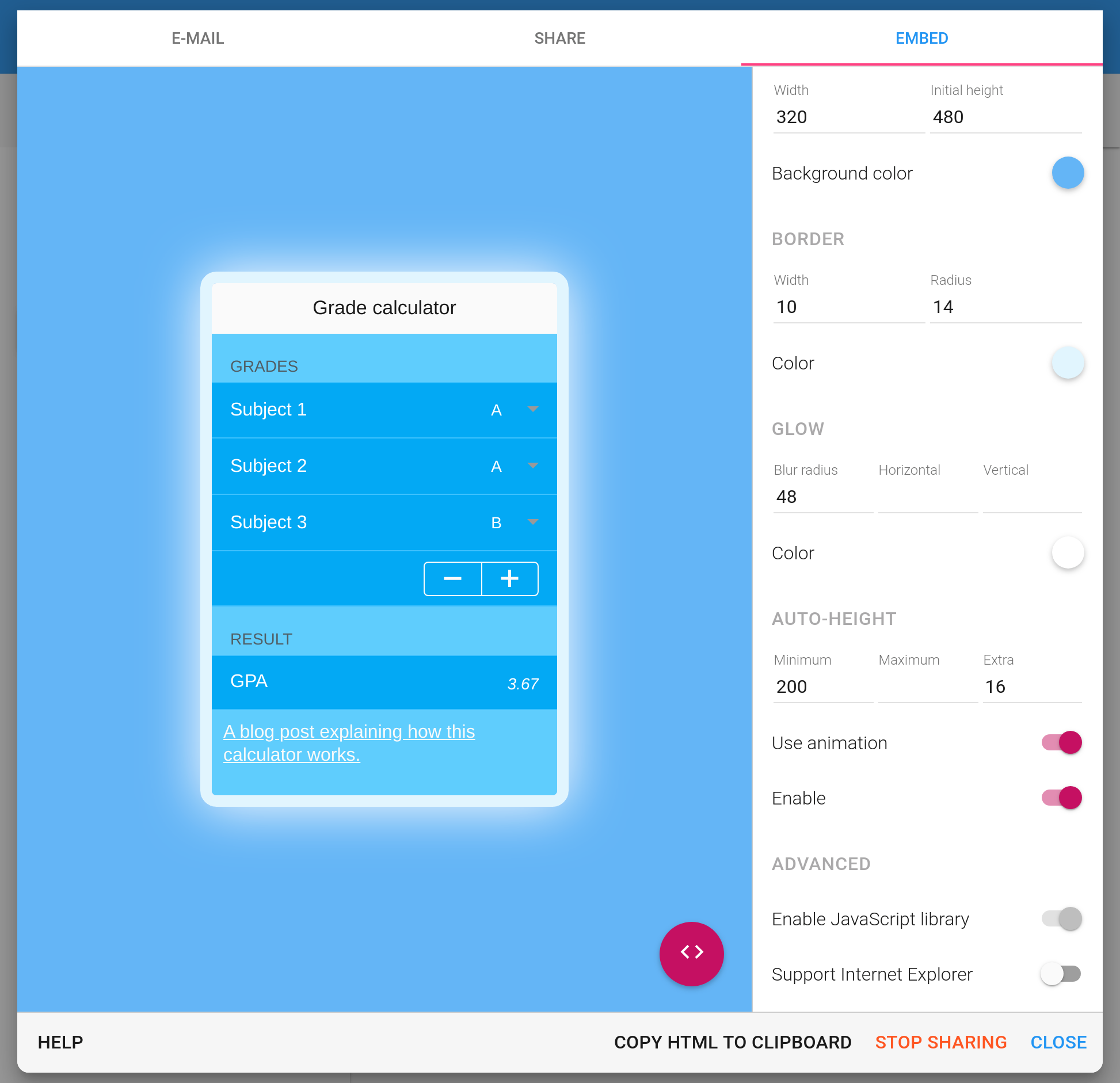
Easily apply borders and shadows to embedded apps with the revamped
embed tab which appears when you share an app, with a live preview.
You can also experiment with our new auto-height feature, which
adjusts the height of the containing iframe to match the app
content.
The new auto-height feature for embedded apps changes the height of
the containing iframe to match the contents displayed by the app,
so you'll never waste space on your page with an oversized iframe.
Host pages can now interact with their embedded apps through our
new JavaScript library. For instance, host pages can now get all
values of an app through the library. We expect this feature to be
used by third-party services wishing to integrate with Calcapp.
A growing number of makers are looking to build their startups on
Calcapp, the no-code tool of choice when calculations are your
focus. We're now announcing our startup program, which gives you
free access to Calcapp while building your product, provided that
you're willing to share revenue with us later.
Microsoft Flow enables you to glue your apps together with
thousands of services, like Excel or Slack, in the same vein as
Zapier. It needs a so-called JSON schema to work, though, which are
tedious to write. Calcapp Creator can now generate them for you.
After a three-year beta, we've finally launched paid plans. In this
post, we take stock of our current position and discuss what lies
ahead, including the introduction of a PDF report designer, buttons
that perform more complex actions through action formulas, better
support for data and more.
We're adding support for paid plans and ending our beta program,
requiring you to upgrade your shared apps to a paid plan. Make your
apps private to require your users to sign in before gaining
access. Use the new Statistics window to gain insights into your
app's performance.
Calcapp now supports paid plans and we are ending our beta program.
To ensure that your apps continue working, upgrade them to a paid
plan before May 14. This post walks you through the steps you need
to take to upgrade your apps.
Private apps require your users to sign in before gaining access to
your app and require you to define who those users are. User tags
determine which users can sign into a particular app. Use the
USERHASTAG formula function to customize your app based on the tags
of a signed-in user.
The new Statistics window uses graphs to shine a light on your
app's performance, in terms of app launches, sent reports and
signed-in users, with a customizable date range. Use it to compare
an app against others in your account or to compare your usage to
your app's plan limits.