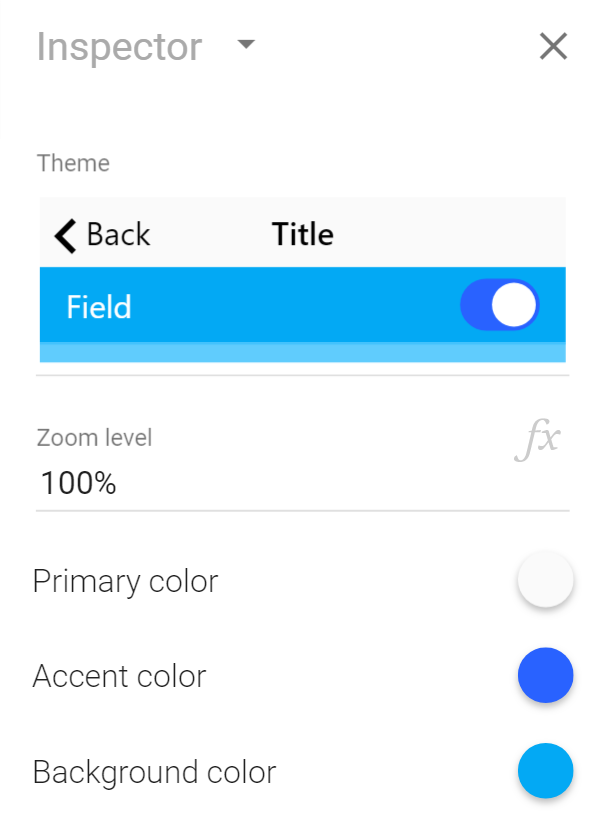
You can now set base colors for your entire app through the start
screen. These colors affect not just your panels but also the
loading screen. We have also added a theme selector with five
pre-defined color themes to allow you to more easily experiment
with colors.
Calcapp now supports three new text-processing functions, enabling
you to determine if text matches a certain pattern and to extract
and replace text, also using patterns. The three functions use
so-called regular expressions.
The new CHOOSE function can be used as a compact, fast alternative
to IF in some situations. Use it together with the Index property
of drop-down fields to quickly return data matching a value
selected by your user.
The new Index property of drop-down fields returns the numeric
position of the selected value and the Size property returns the
number of values. Index is designed to work well with the new
CHOOSE formula function.
Troy reported getting error messsages from Calcapp Creator when
editing a large app. While his issue appears to have disappeared,
Calcapp sometimes does have issues with very large apps. Our
co-founder David discusses our future plans for solving this issue
in his reply.
Can Calcapp be considered a programming language today? How will it
evolve in the future? Will it stay true to its spreadsheet roots or
will it look more like traditional programming? Bob posed these
questions and received a technical reply from David, our
co-founder.
Create apps in one of our 79 supported languages, with correct
formatting of numbers, dates and times. Make apps bigger or smaller
with the new zoom level feature. Use eight new language-savvy
functions to format values from formulas. Finally, you can now use
formulas to determine labels of fields and buttons.
Calcapp now supports 79 languages and 147 language variants,
enabling numbers, dates and times to be formatted correctly. We
have translations for app text provided by Calcapp in 30 languages.
Five languages have been translated by human translators and the
rest using machine-translation.
Use the new zoom level feature to make apps appear larger or
smaller. Associate a formula with the zoom level property to give
your users control over the size with, say, a slider or a switch
field. Be sure to make these fields persistent so the zoom level is
remembered.
Our new sample app is a calculator for shared household expenses.
It enables users to define recurring expenses in one panel and
fields for those expenses are then created in another panel. This
app demonstrates formula-driven labels.